
Building TripTrack with AI
Getting ready for a road trip
In summer 2026, during a career break I'd taken to explore AI hands-on, I was planning a road trip across Europe with my wife and our two kids. Along the way, I ran into a problem and saw a chance to make AI my partner in solving it. I had one week before leaving. It felt like a perfect challenge.
Planning was fine. Living it on the road wasn't.
I was planning the trip using a Notion table, tracking where to sleep, what I'd booked and paid, links to campsites, places I'd read about, things friends had suggested.
It worked well for planning, but checking it constantly during the trip — on mobile — was going to be a poor experience.
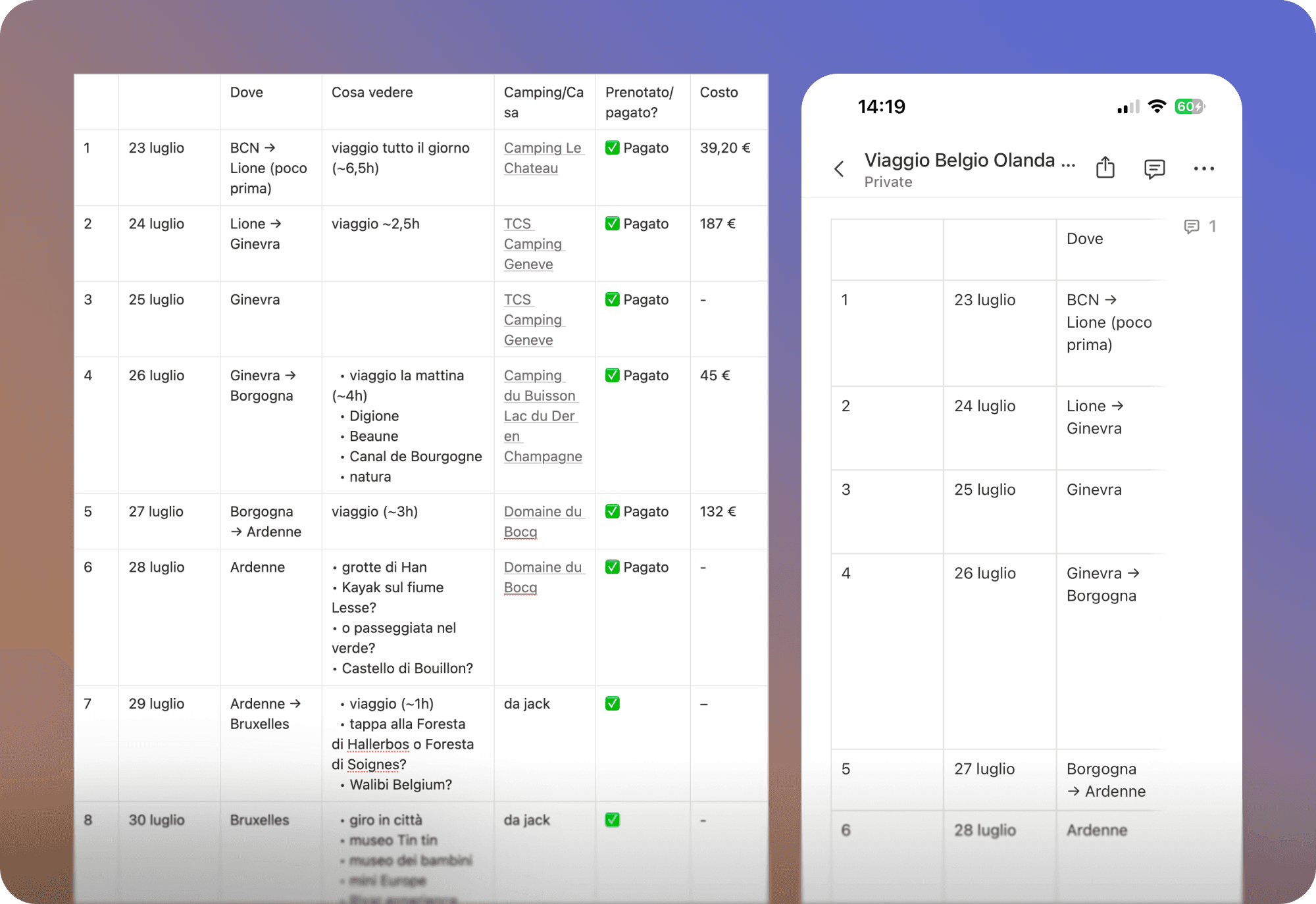
 My trip in a Notion tableMy trip in a Notion table
That's where I saw the opportunity: building an app to guide me during my planned route. Easy, to the point, no bulls**t.
Something that showed where I was, what was next, what to see along the way and once there — with every link at hand, so I wasn't searching Google Maps at every stop. Whether it would be just a personal prototype or more than that, I left it open for later.
1. Understanding the market
I ran a competitor analysis with Claude, starting from Wanderlog and expanding to Polarsteps and Stippl. Each operated in its own vertical — the simple concept I had in mind wasn't out there yet.
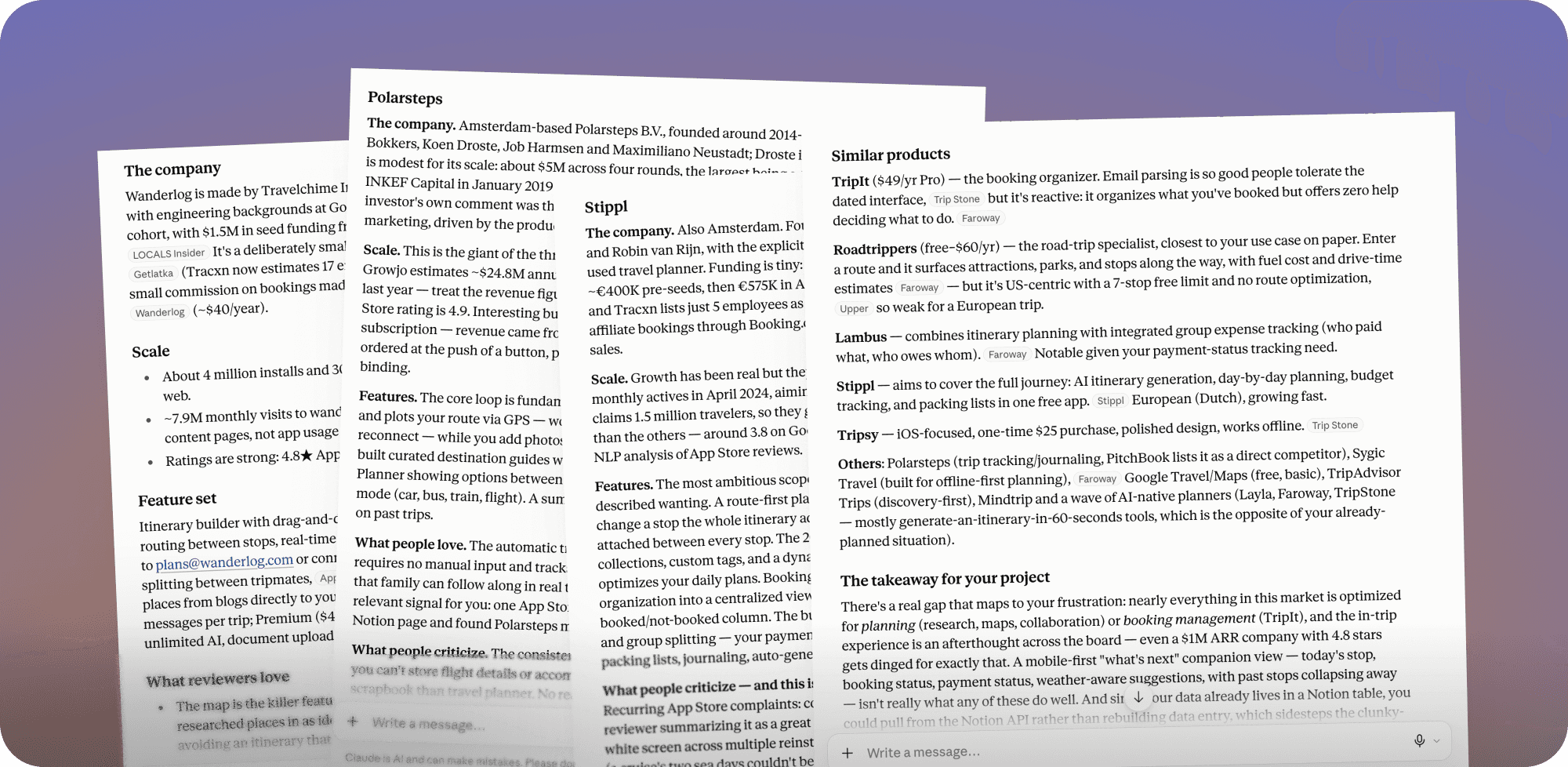
 Market analysis was made with ClaudeMarket analysis was made with Claude
2. Defining a proof of concept
I started by clarifying what I actually needed and defining the core experience and some initial requirements.
Core experience
Key questions the app should answer:
- Where am I heading to today?
- How long will it take?
- What should I visit?
- What's the route?
Initial requirements
- Current location (now)
- Final location (at the end of the day)
- How far it is and how long it will take
- Link to google maps
- The status of the camping (booked, paid, etc.)
- Eventual stops in between
Once I had a better idea of what the app should do, I explored a few directions from the same basic requirements. I prompted Figma AI, Claude, and Lovable in parallel to run a first round of exploration.
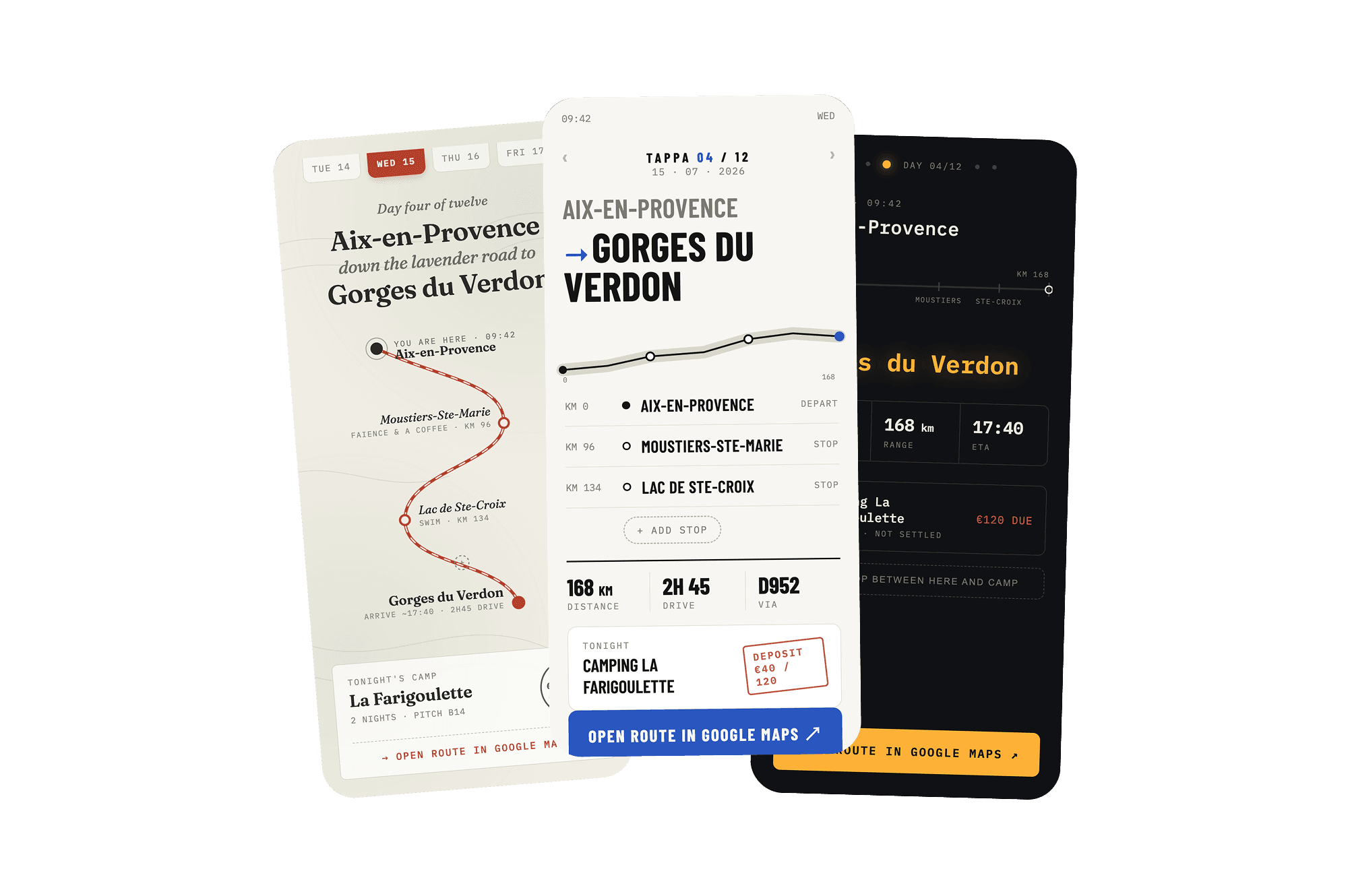
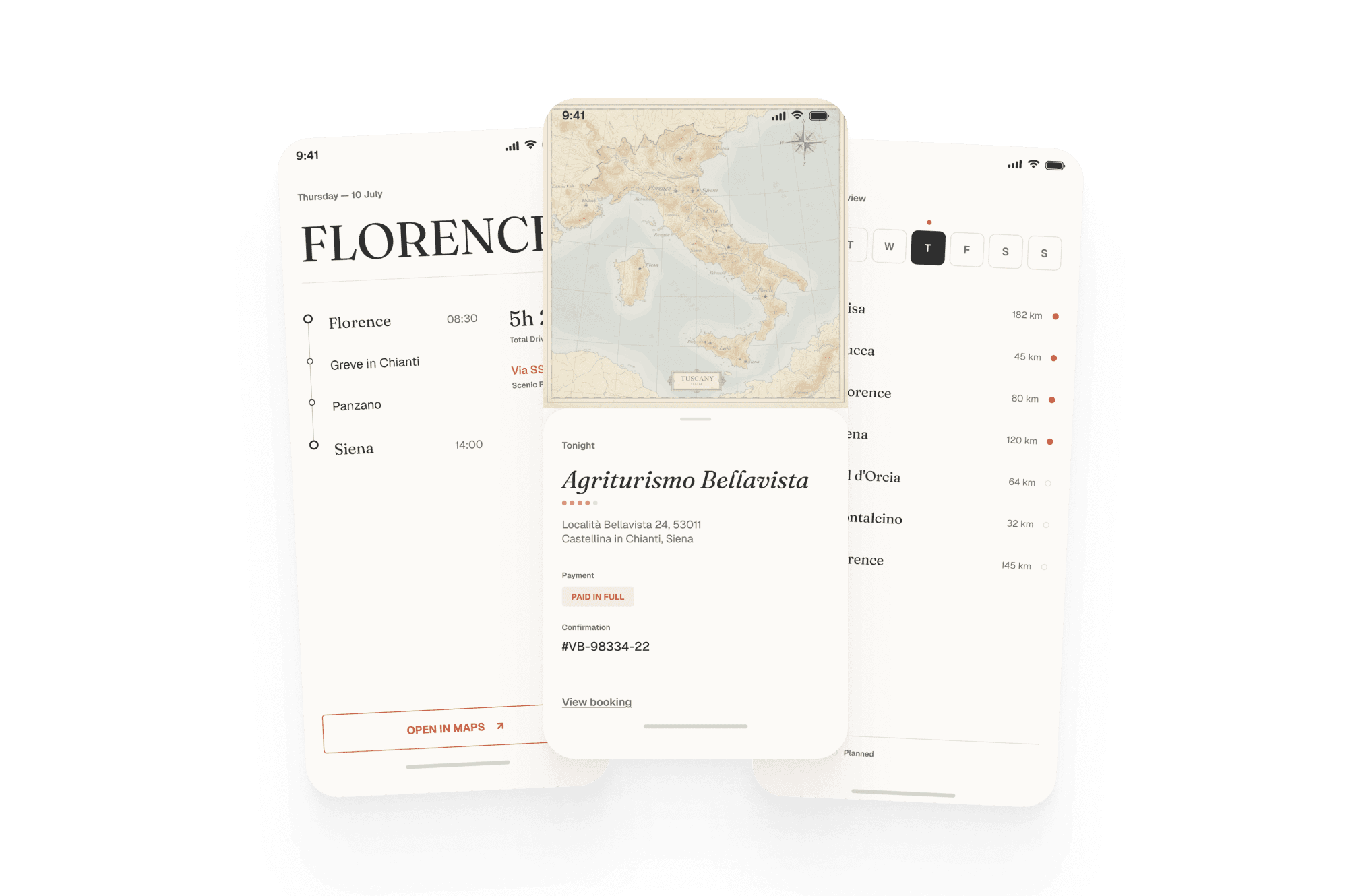
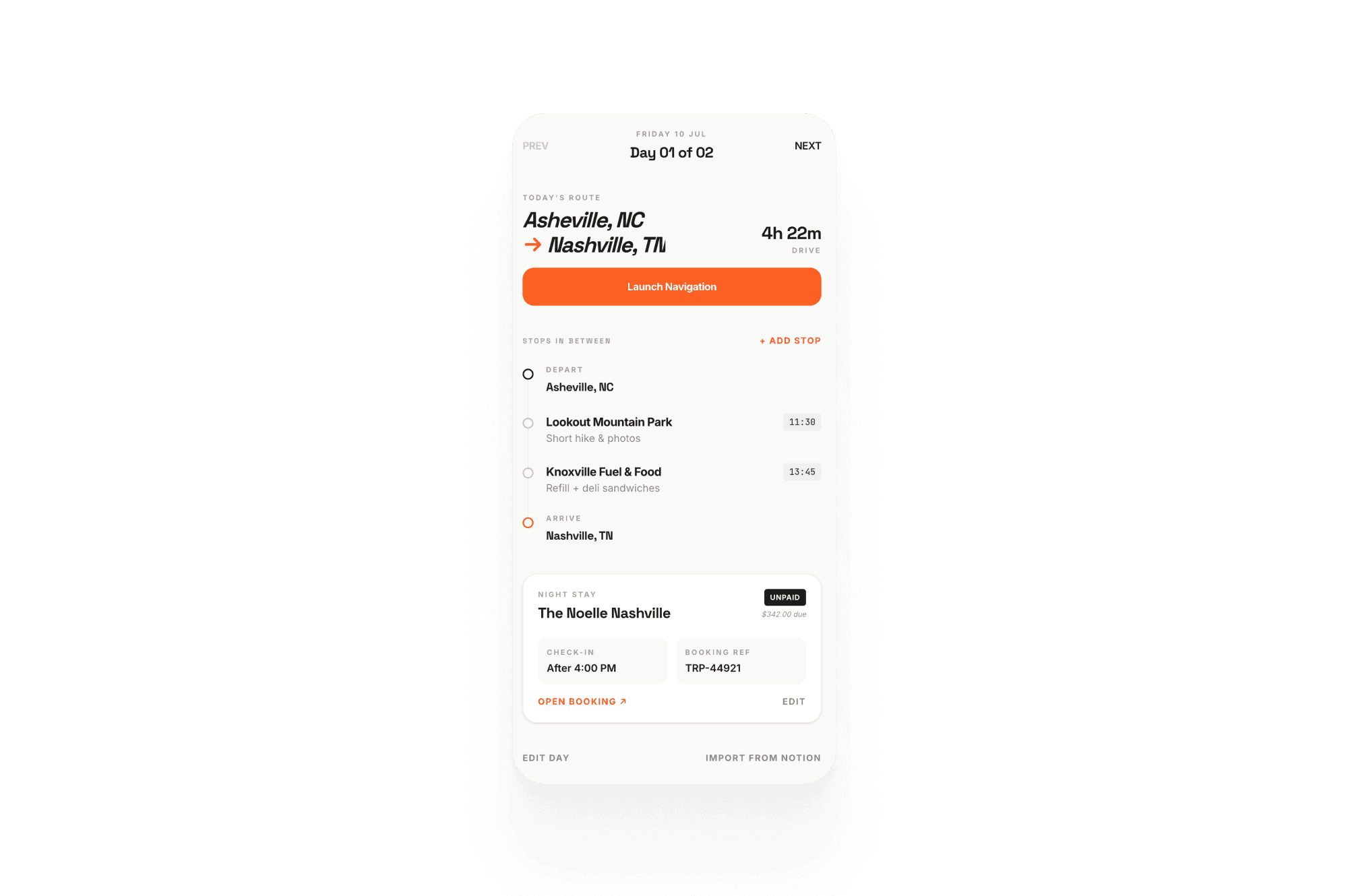 Early explorations made with ClaudeEarly explorations made with Claude
Then continued with Claude to dig deeper into the “trip day” experience.
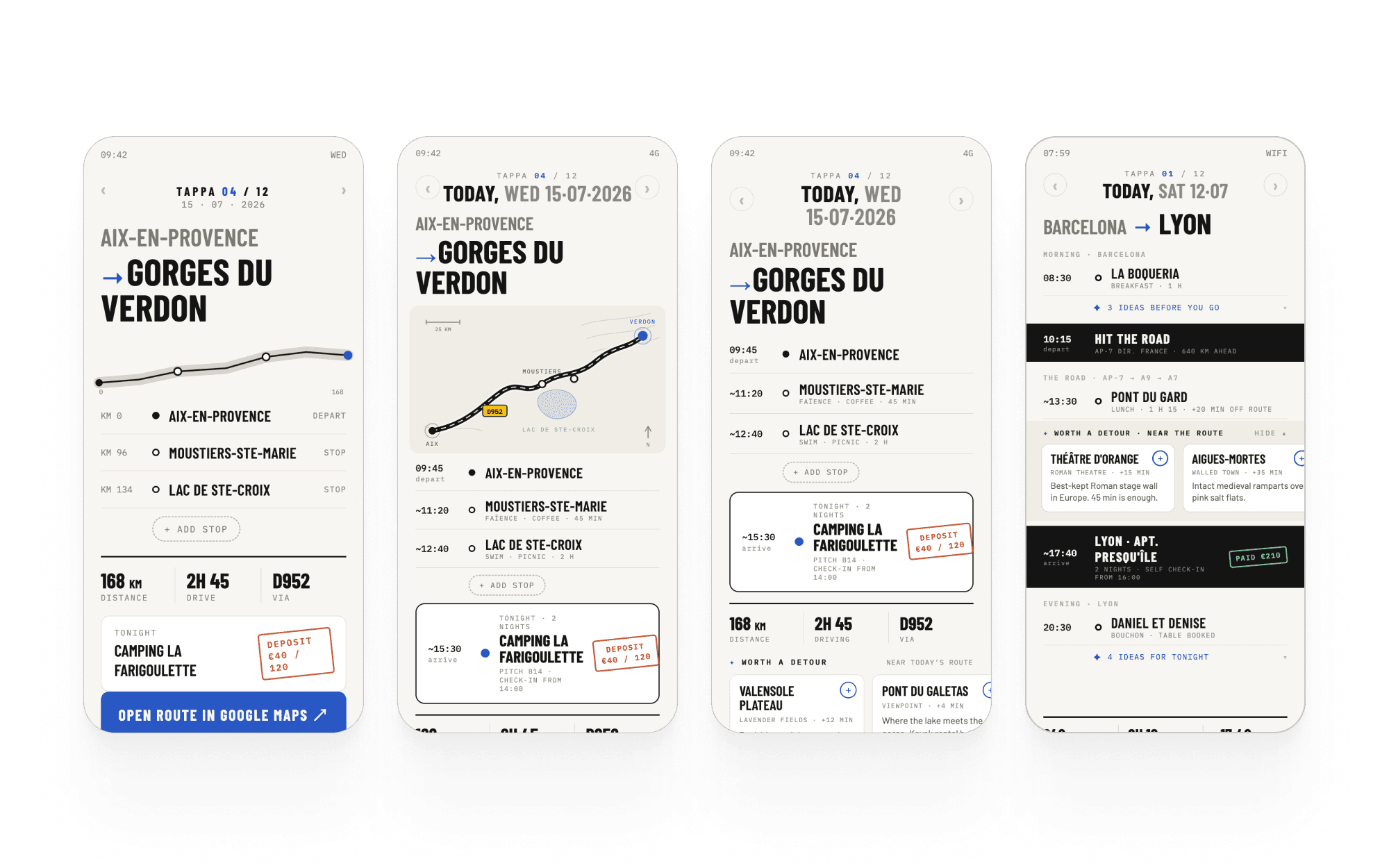
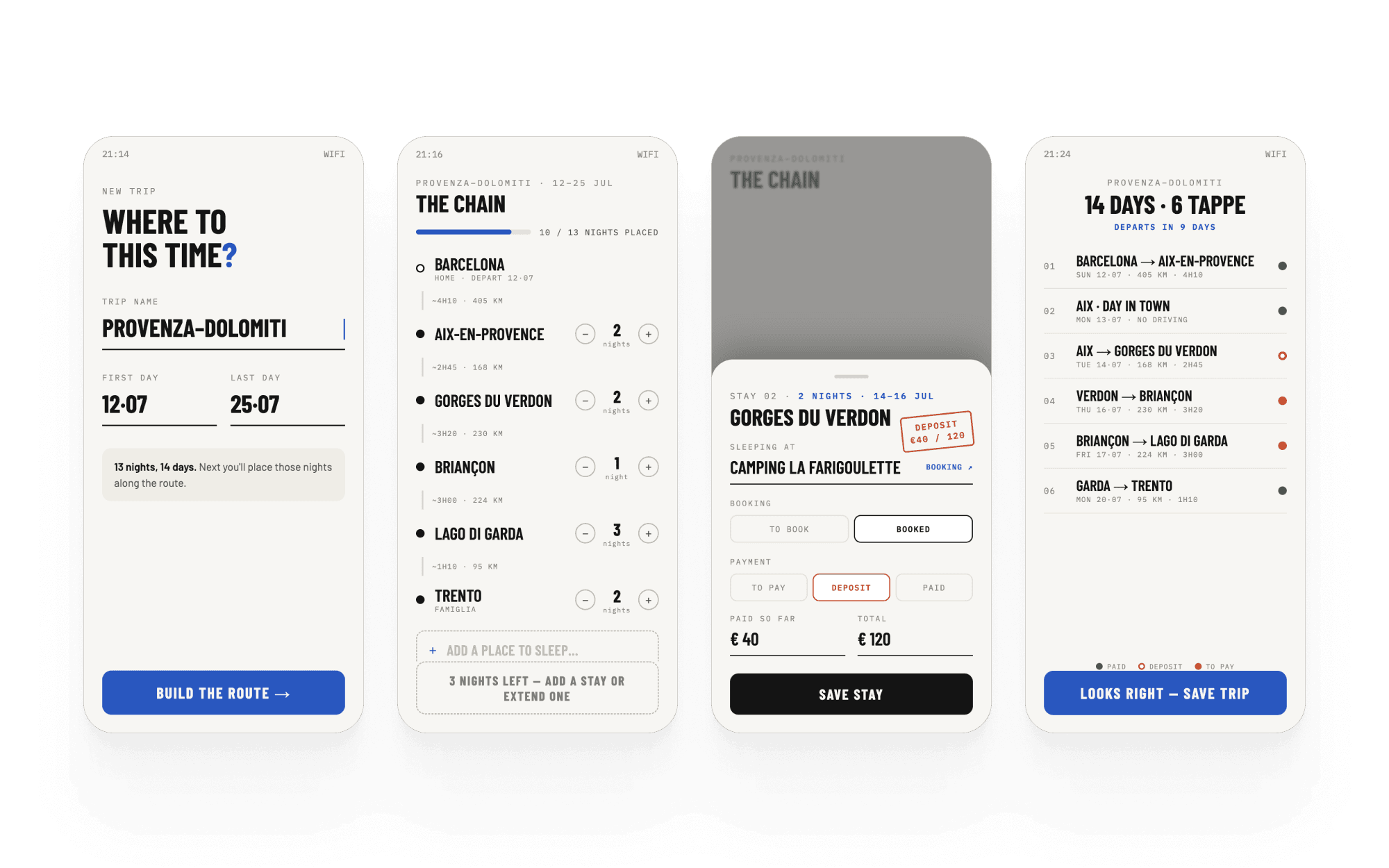
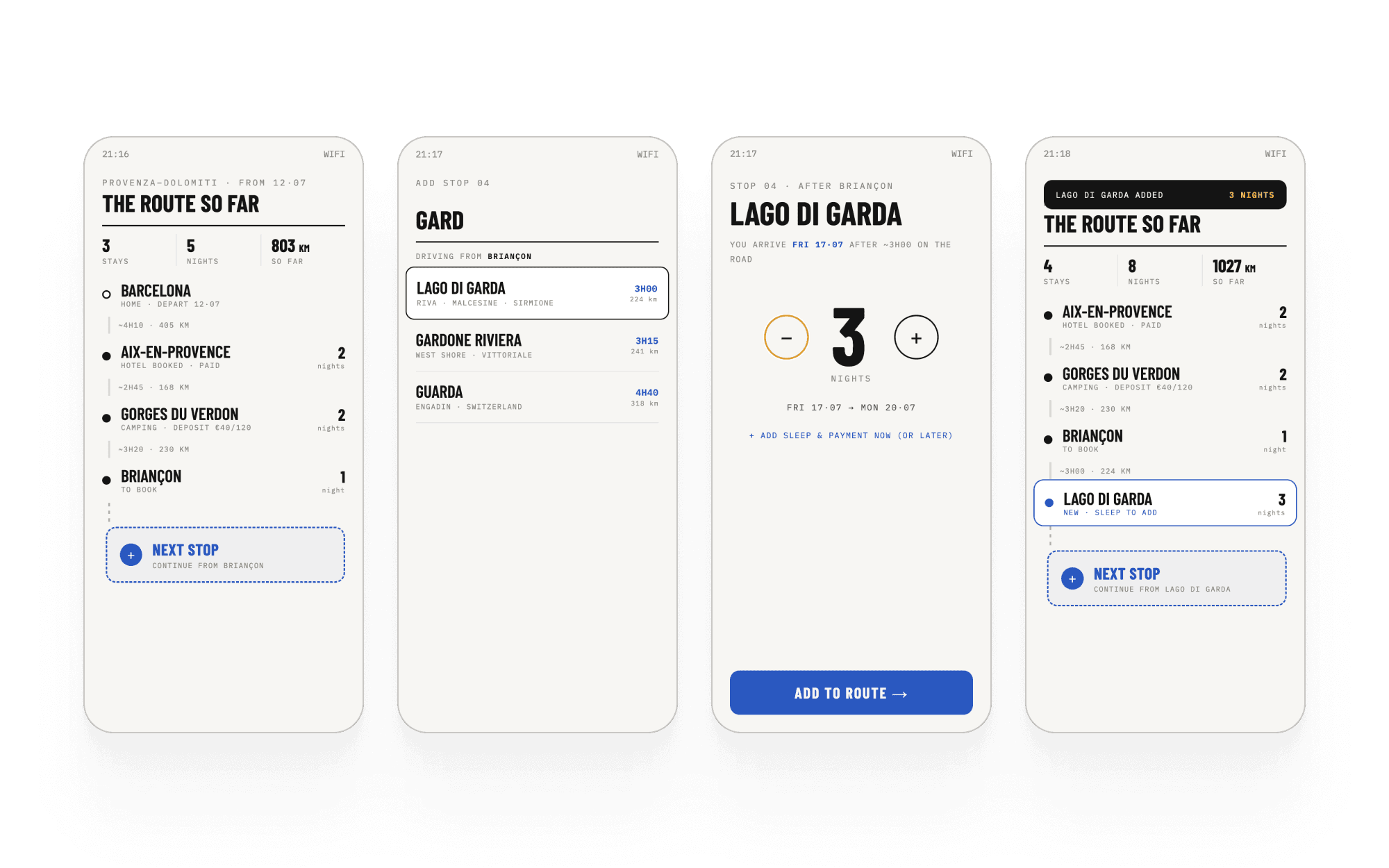
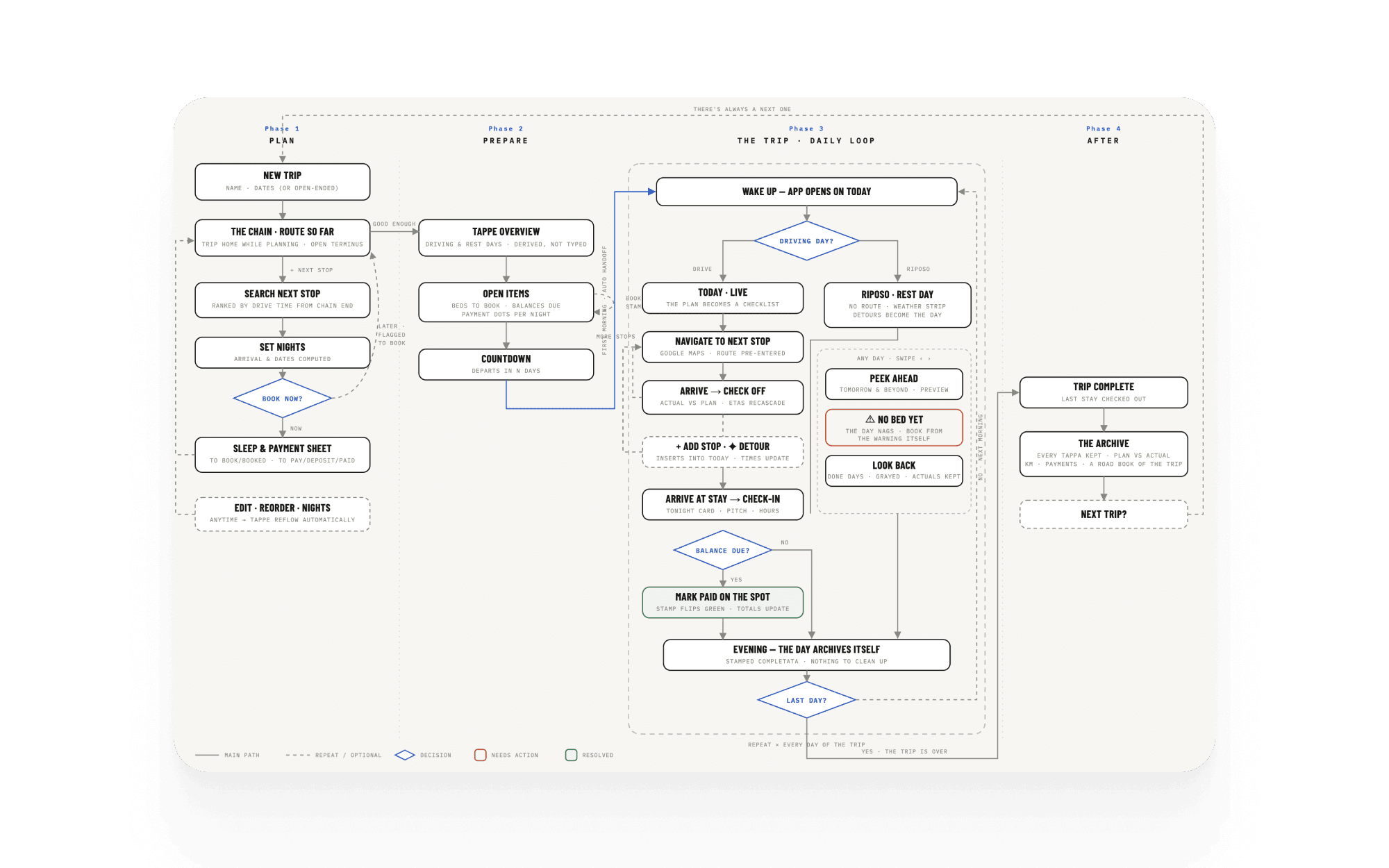 Explorations continued with ClaudeExplorations continued with Claude
3. Scoping it down
I generated a list of JTBD so I could prioritize requirements in more detail and sorted them into “now” and “later”, with the strongest “now” candidates highlighted.
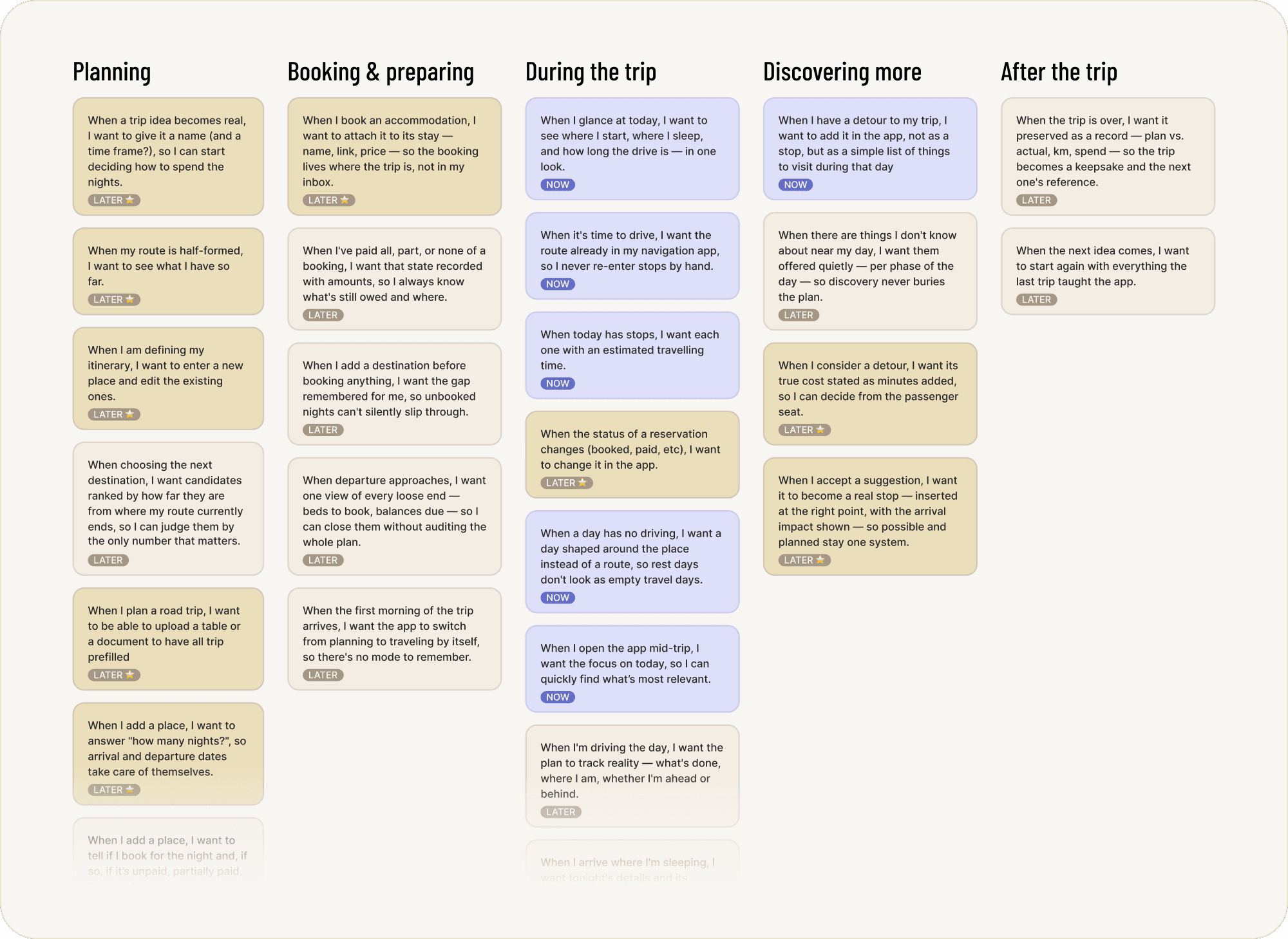 JTBD were generated with ClaudeJTBD were generated with Claude
One thing I had to decide at this point: was I building this just for my own trip, or for other travellers too? I wanted it to be used by others, but with no time for distribution and a week on the clock, I decided — built for myself, designed to be reusable later. This meant:
The core loop came first
Focus on: Where I am, where I'm heading (with a maps link), stops in between, whether the campsite was paid — a super basic version I could expand later.
The trip setup could wait
This could wait for a later interaction, as I could build the prototype with "static" data, with focus on testing the core experience during the trip.
Scalability was out of scope
A "static" prototype was enough to test and learn, since I was going to be the only user for the time being.
4. Designing it
At this point I moved into Figma — still the most effective way for me to go from the initial brainstorming into something concrete — and designed the main screens.
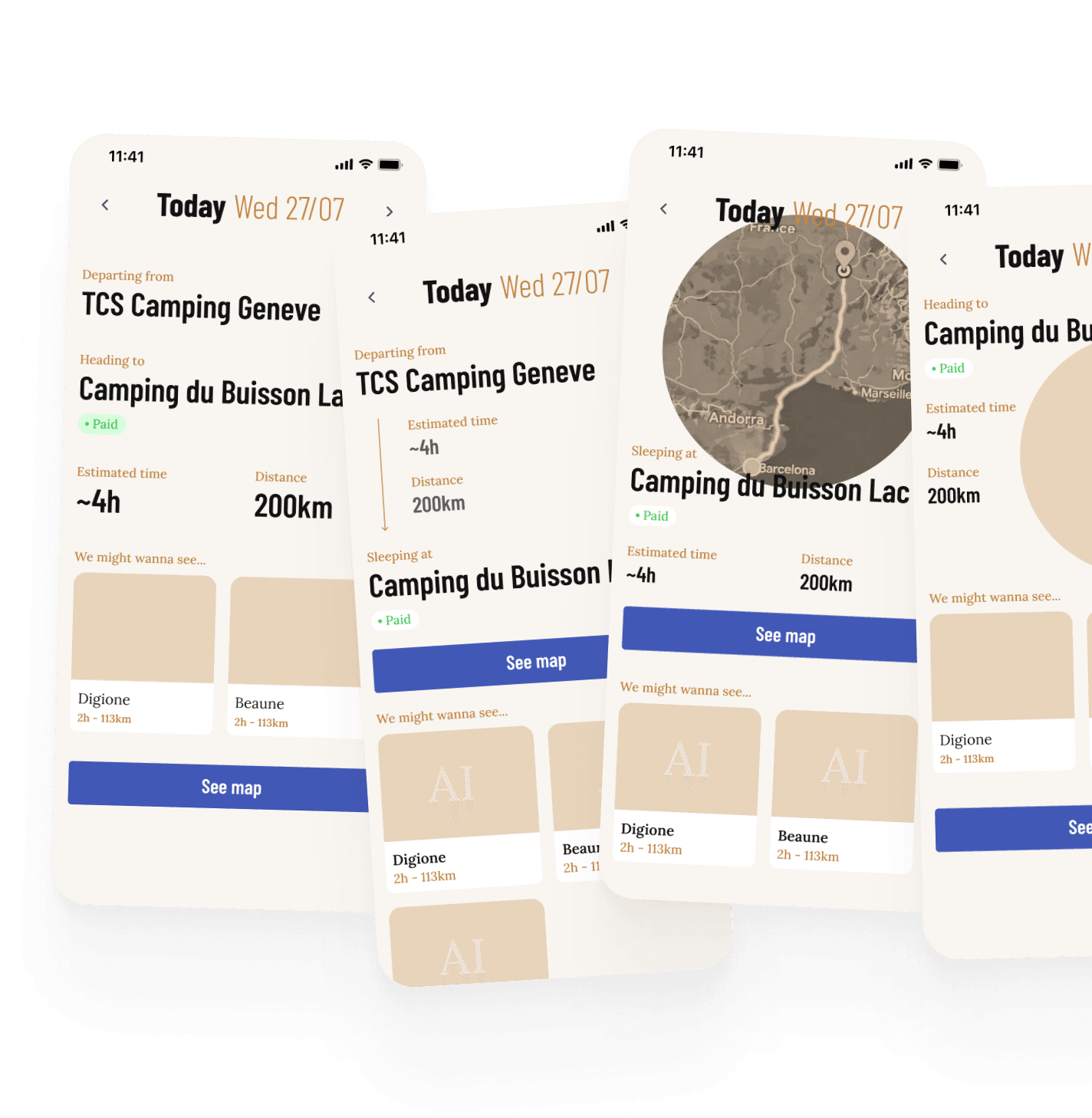
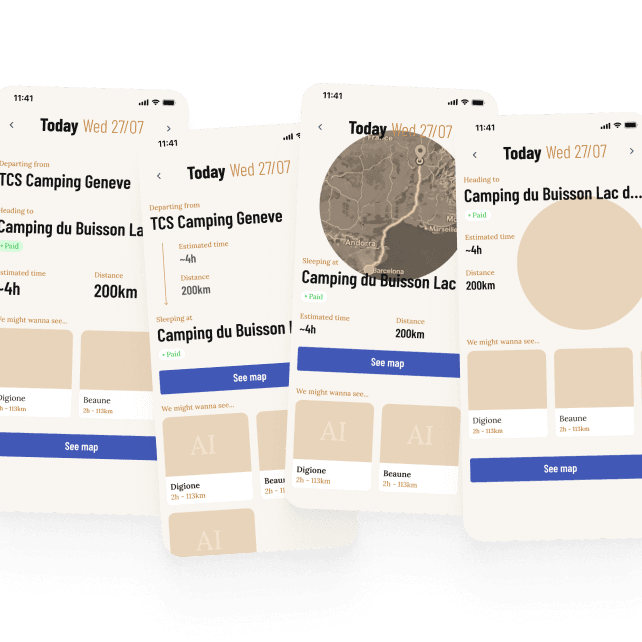
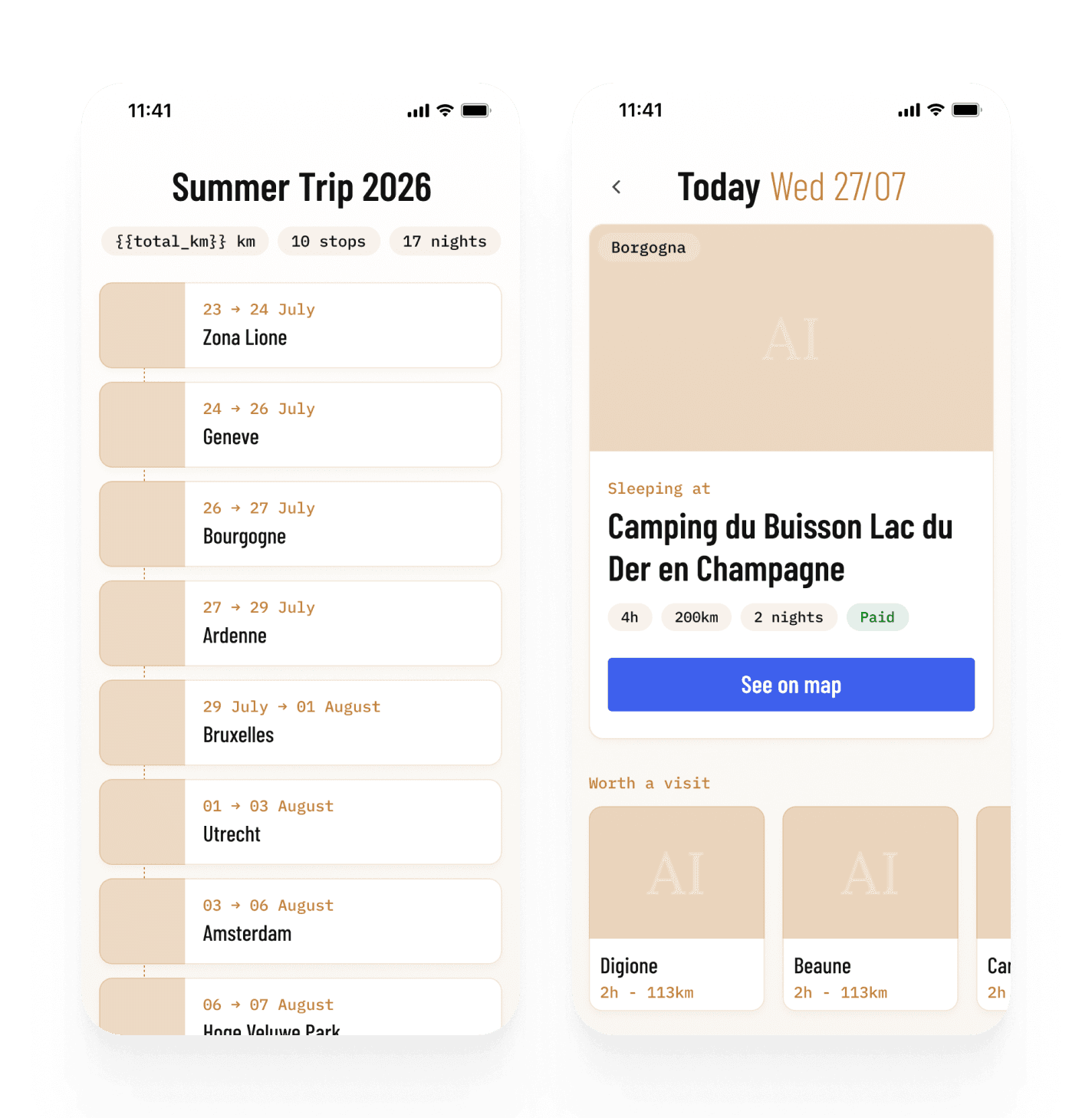
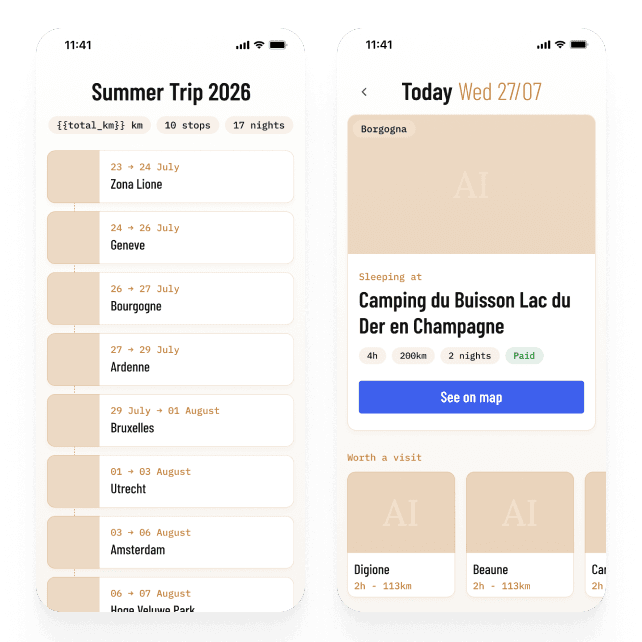
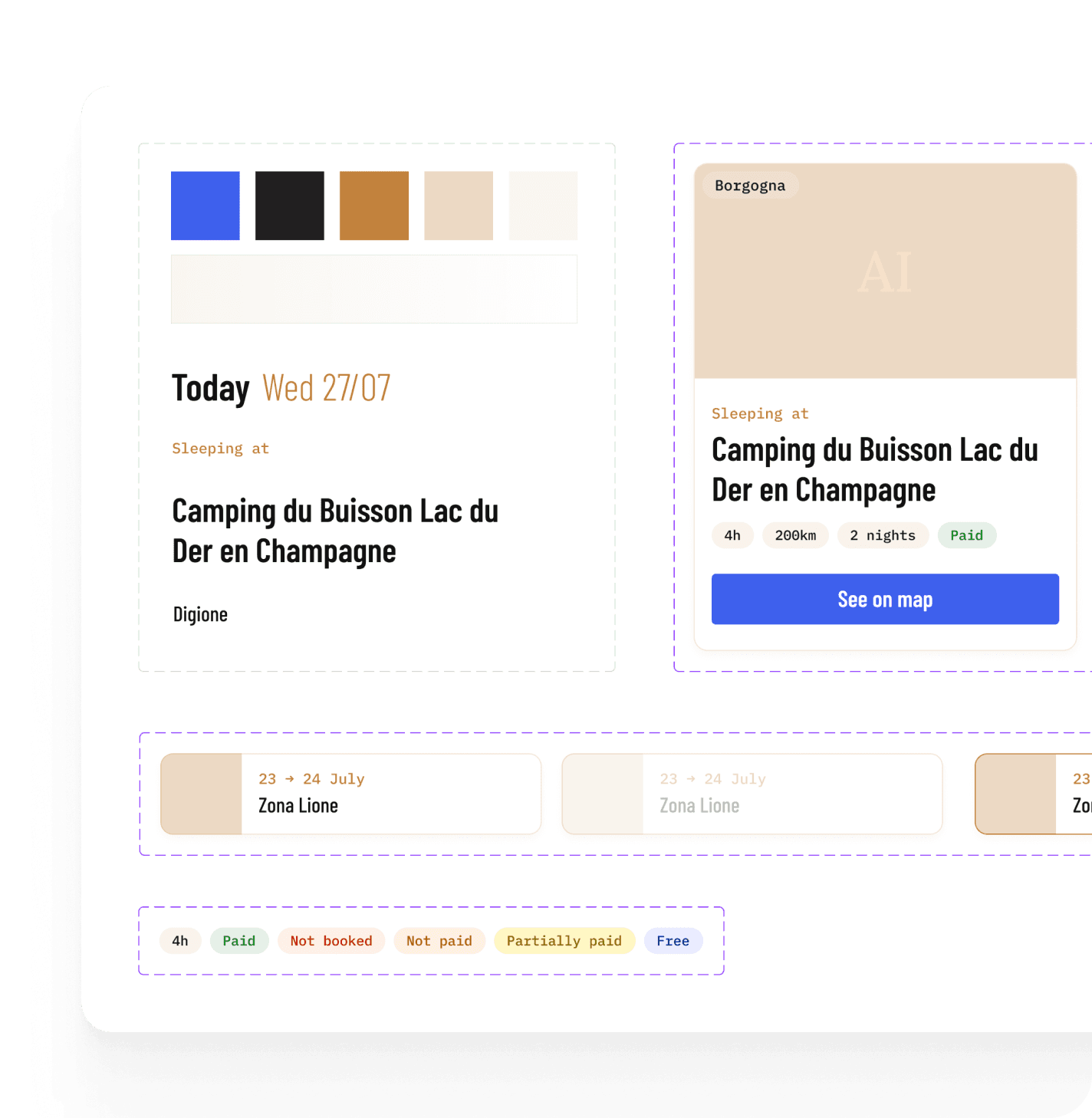
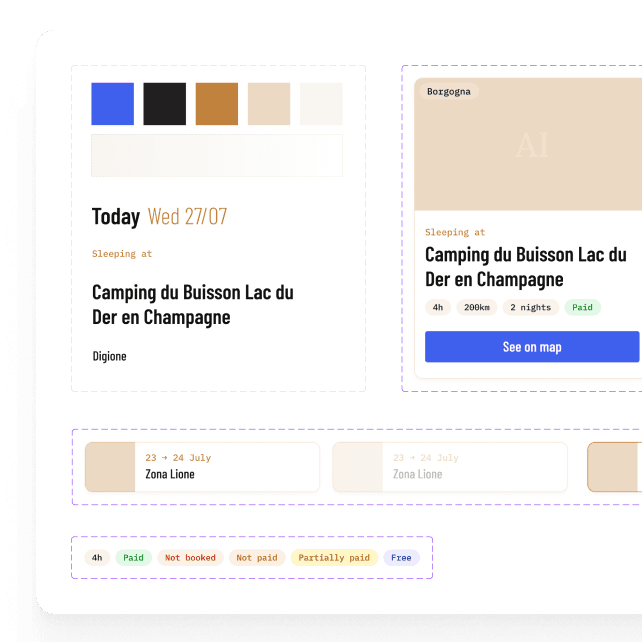
 Design was made with FigmaDesign was made with Figma
5. Building it
Once I had the main screens and components designed, I worked between Figma and Claude in parallel, refining fonts, spacing and inconsistencies as I saw them render in the browser.

Images generation
Images turned out to be the sticking point. I'd assumed Claude could generate them, or pull good ones from the web — it couldn't generate images, and the ones I found online were inconsistent or missing entirely. For the main images, I ended up generating them in Figma and handing them to Claude. Not scalable, but good enough for a prototype.
After two and a half days, the concept was scoped, designed and built — a prototype with my itinerary, photos, map links and things-to-see list in place. Good enough to test on the road.
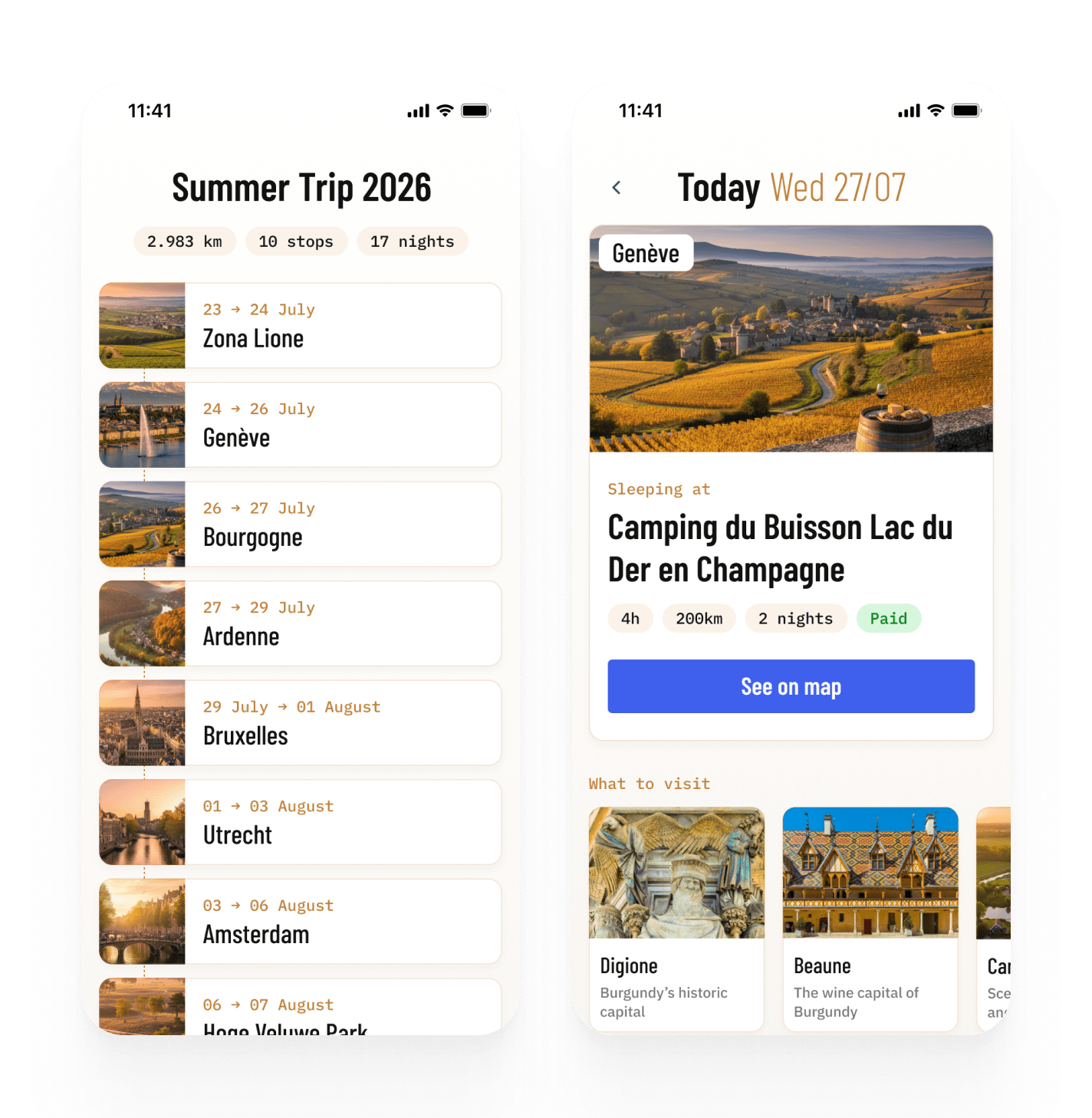
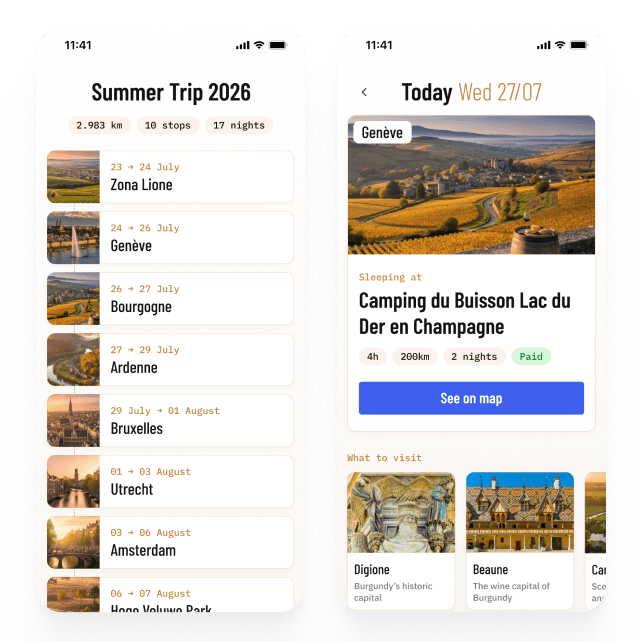 Live version was built with Claude CodeLive version was built with Claude Code
6. Iterating
Two UX issues stood out once I started using it. First, navigation — switching between days meant going back to the full itinerary every time. A rookie mistake 😅
Working on fixing the first issue surfaced a second one: some stops spanned multiple days, so swiping just changed the date, not the content — confusing. It also made me realize that when traveling, the real anchor isn't the date, it's where you are and where you're going next. I restructured the hierarchy — on the homepage too — to lead with the destination and treat the date as secondary.
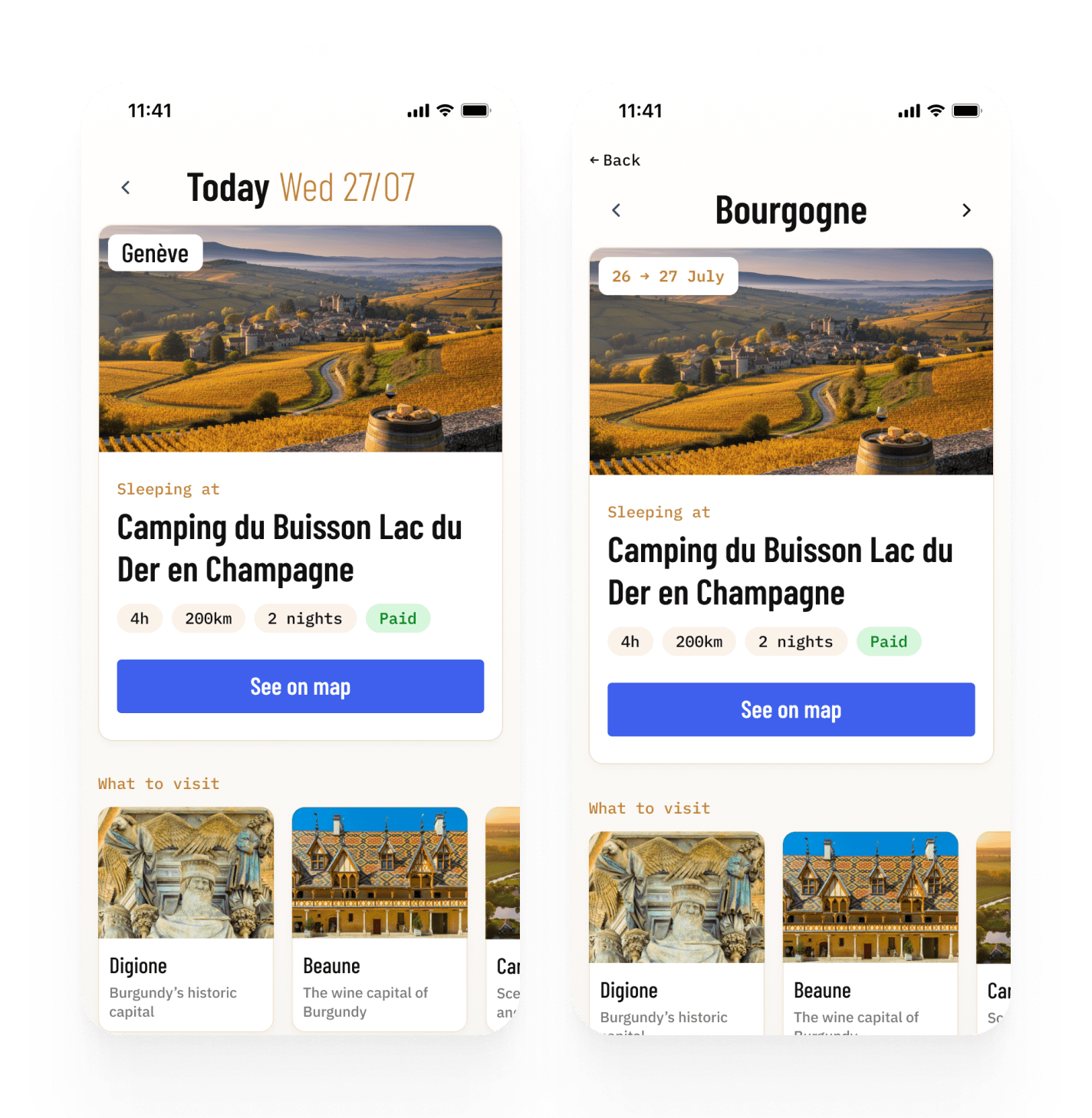
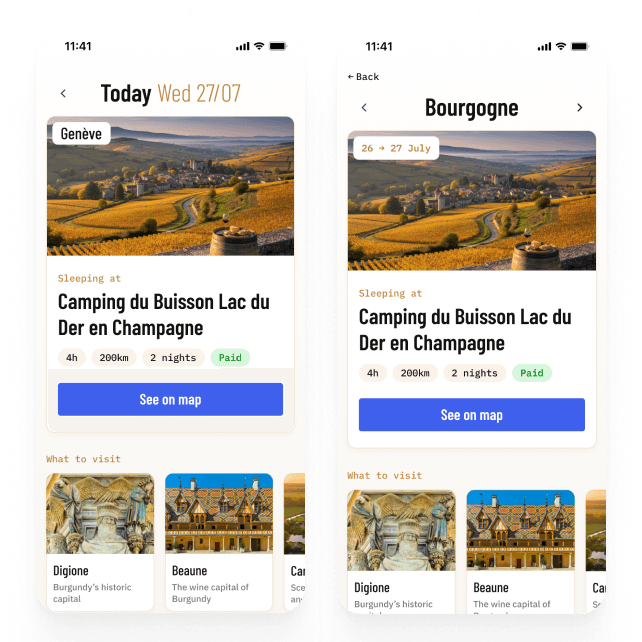
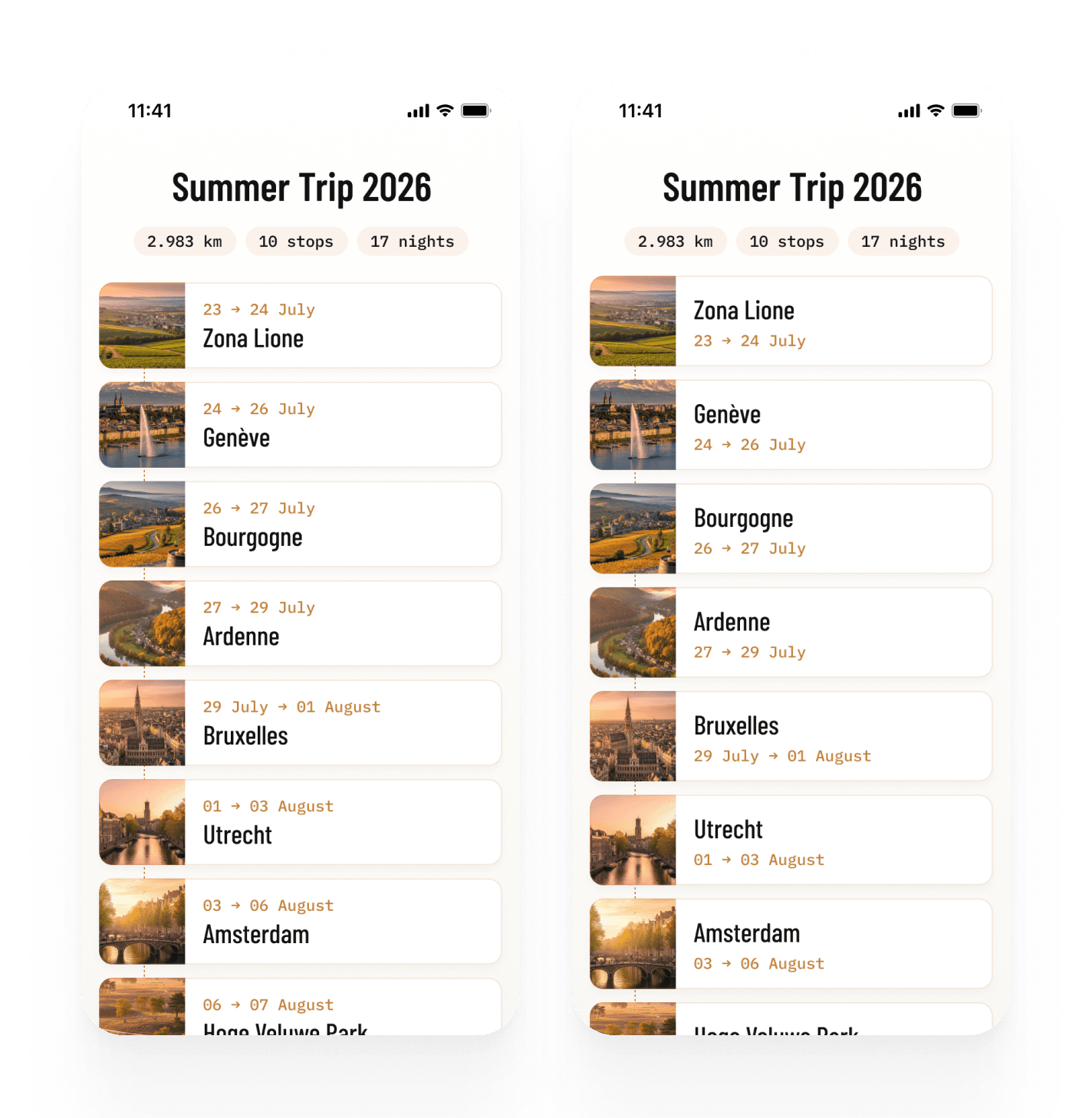
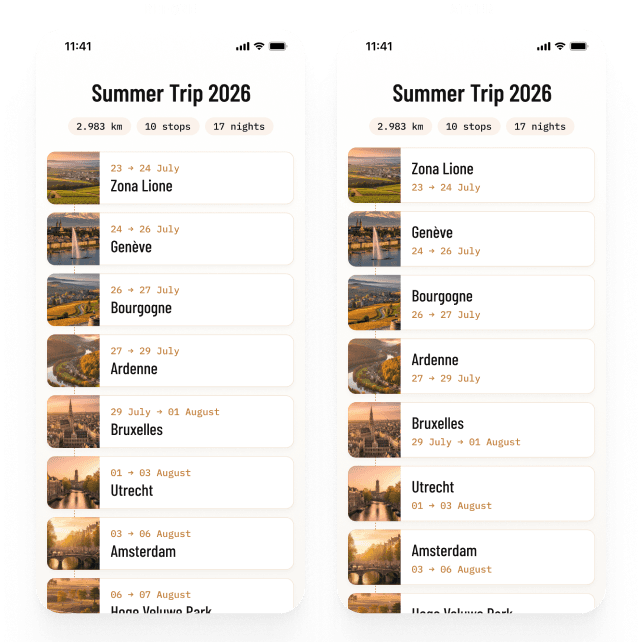 Iterations were made with Claude Code and FigmaIterations were made with Claude Code and Figma
At this point I only had a few more days available, and the top things I still wanted to improve were:
When I am defining my itinerary, I want to enter a new place and edit the existing ones.
When I plan my trip, I want to add or edit places I want to visit any time.
When I'm looking for suggestions on what to visit, I want AI to generate some suggestions.
When I add a new stop, I want to automatically get good images, both for the main stop, and for the things to visit.
I picked up the next priority based on what was most valuable for my trip: AI-generated suggestions for what to see, both at the destination and along the way. I connected the OpenAI API for this — I find its travel suggestions better than Anthropic's for this particular use case.
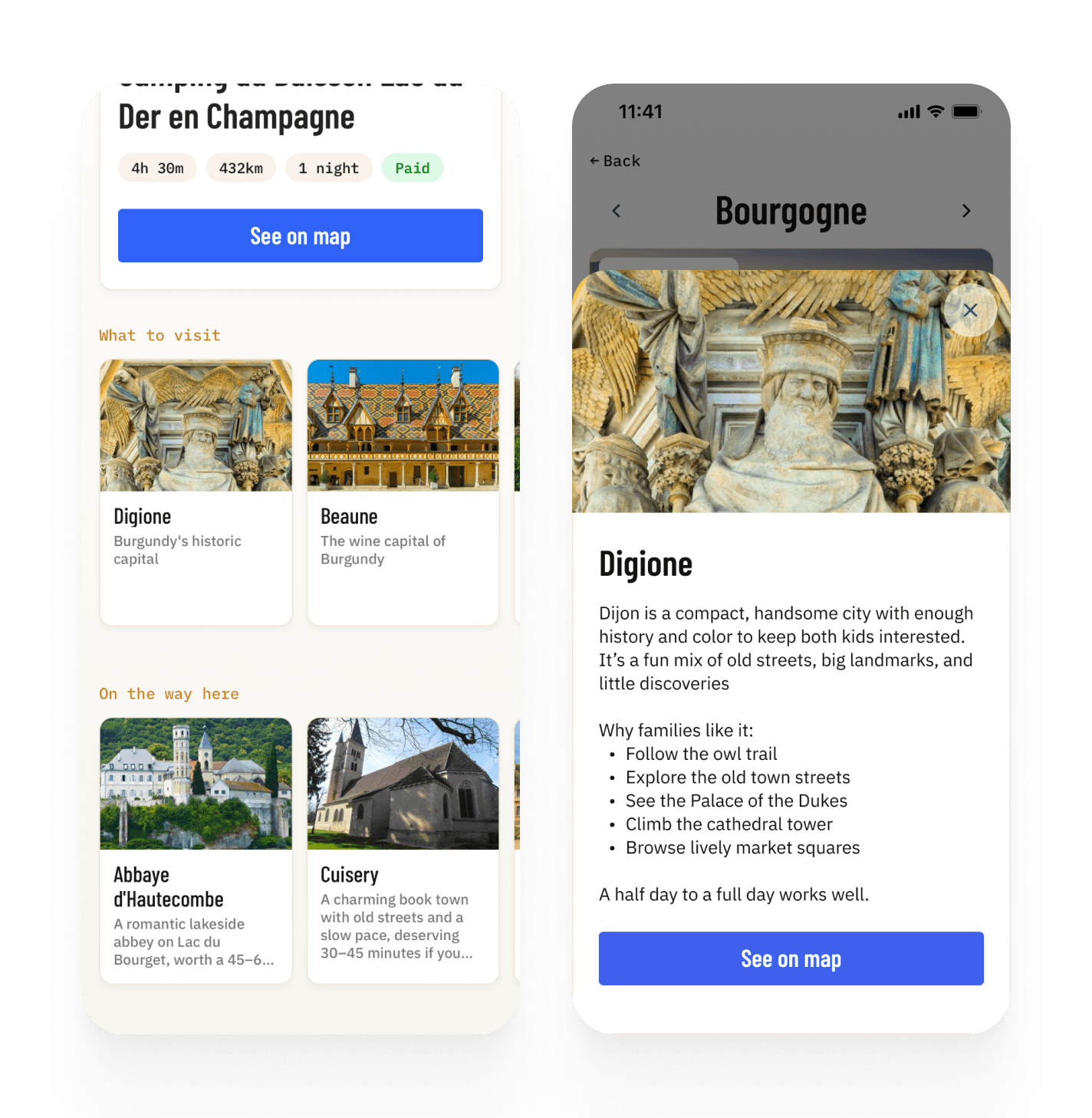
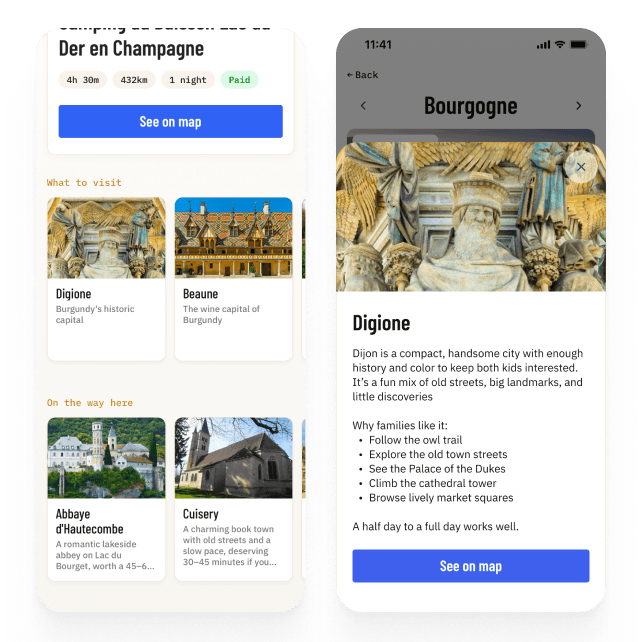 Suggestions generated in Claude CodeSuggestions generated in Claude Code
See it live
Explore the prototype I built and traveled with — the real TripTrack, right in your browser.
Testing my travel companion
TripTrack became a genuine companion for my wife and me throughout the trip. It centralized logistics that had been scattered across Notion, Google Maps, emails and a dozen browser tabs — and it held up.
🗺️Where are we headed today? Open TripTrack.
⛺Need directions to a campsite? Easier through TripTrack.
🧾Did we pay for this one? TripTrack.
🌧️Rainy day, nothing planned? Check on TripTrack.

Improvements
During the trip I've identified at least a couple of clear UX improvements:
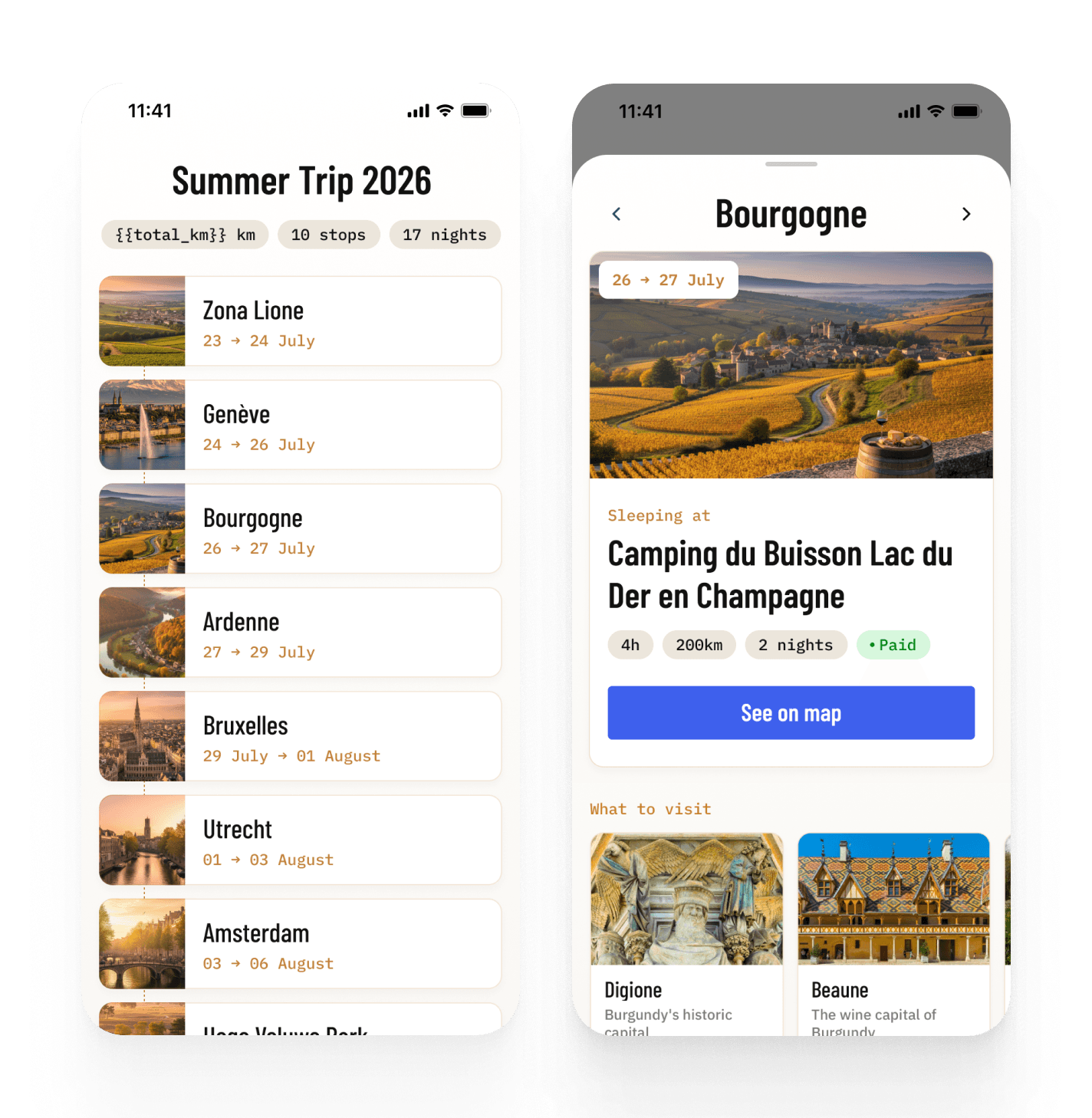
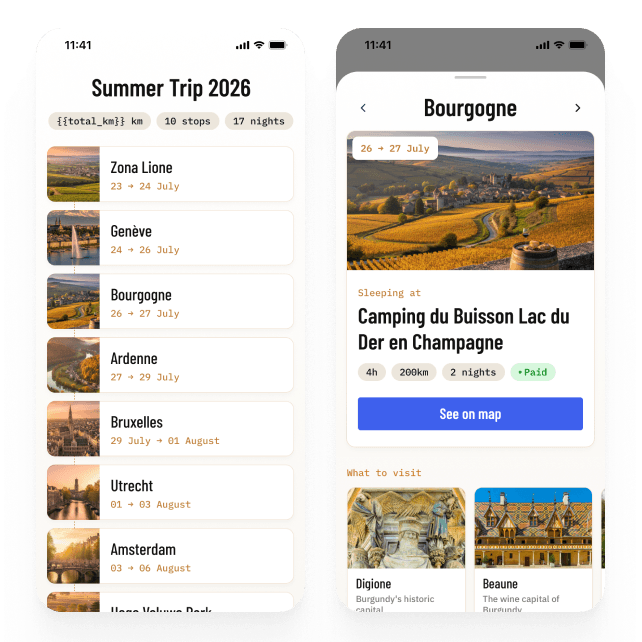
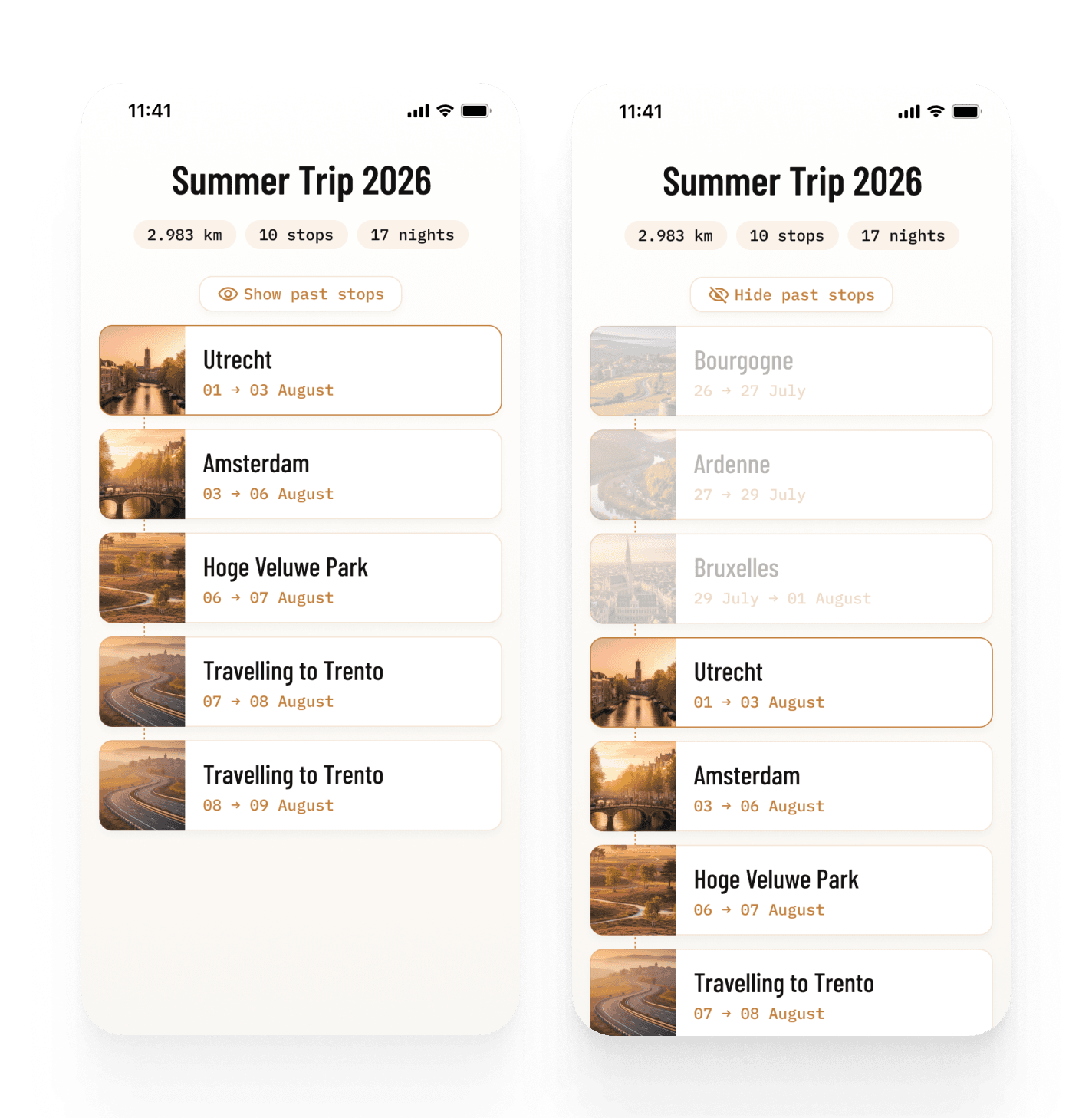
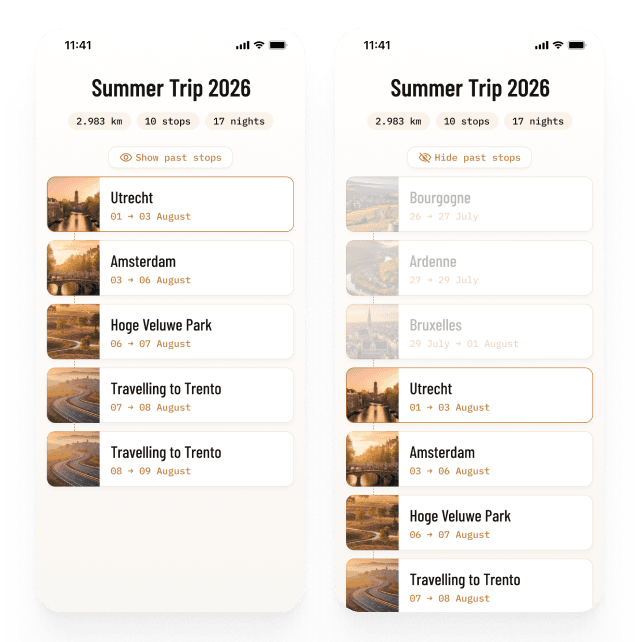 Mockups made in FigmaMockups made in Figma
And also spotted some features I would have loved to have:
Weather
When I am choosing what to visit, I want to see the weather forecast, so that I can choose what to visit in case of bad weather.
Real distance
When I am travelling, I want to see the exact distance from where I am in the itinerary, and not only from the initial point.
Map
When I am choosing what to visit, I want to see the map with the route and the different suggestions, so that I can plan what to visit based on the distance from the main route.
Learnings
This was the first product I built with AI and I am proud of what I've achieved in only one week. I still have a lot to learn, but here are some of my main learnings from this project:
AI doesn't remove thinking
The opposite is true: being so easy to design and build, the temptation is to think less. But the number of real choices didn't drop at all. And the clearer the thinking, the better the building.
Patience is a required skill
Claude is remarkably capable, but it doesn't always get things right the first time. It needs clear explanations, corrections, and plenty of hand-holding. Accepting that it won't get everything right the first time made the process much easier—and less frustrating.
Examples beat instructions
When you can't articulate a standard, share examples. For me this worked very well for suggestions, sharing a few examples gave the content a clear structure and tone of voice, that was then replicated for all 100+ entries.
Plausible ≠ correct
Some automated pipelines may fail silently and attractively, and the only defence is verifying against ground truth on the things that actually matter.
Claude & Figma work best together
Claude was great at exploring ideas, researching, coding, and iterating. But for designing detailed flows and screens, Figma was still my best thinking tool. Experiences are visual and spatial, making words slower and vaguer than a canvas. Working between the two gave me the speed of AI and the freedom of visual exploration.
What's next
Next steps involve including the flows to build a trip, and generating suggestions and images directly inside the app, so that I can distribute the app to other users for testing. Without overlooking the improvements I've mentioned above.
That said, I've decided to park TripTrack for now, while I switch my focus on some other projects. My will, though, is to come back to it in a few months to continue the work.
Stay tuned.